

How to Register on Betwinner Cameroon
The registration form offers two routes, By phone and By e-mail. It also contains a currency selector, a confirmation-code field, an optional promo-code field, the choice of welcome bonus and a confirmation that you accept the terms, the privacy policy and the legal-age requirement.
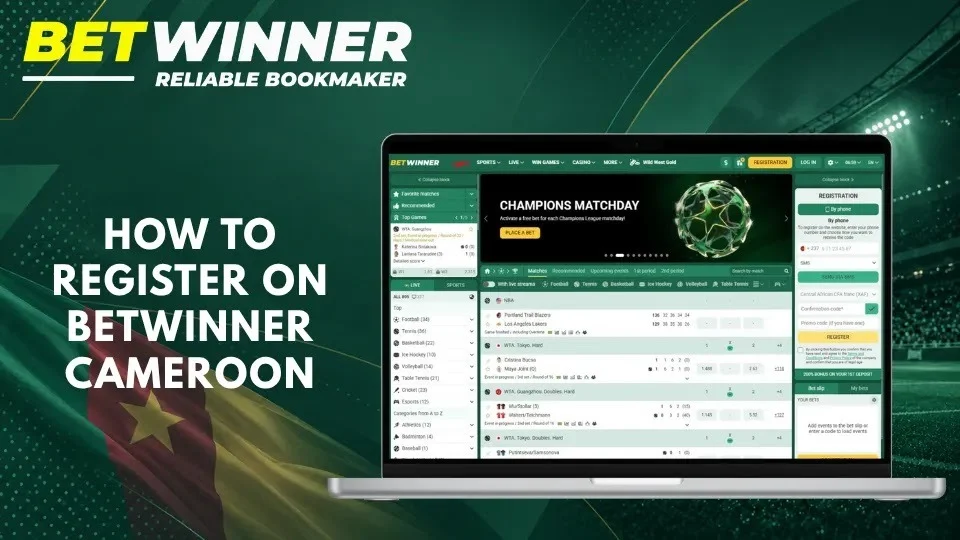
Open the Official Betwinner Website
Go directly to betwinner.cm rather than through an advertisement or a forwarded link, and check the address before entering personal details.
Open a browser on your phone or computer, or the Betwinner app
Go to betwinner.cm
Tap Registration in the top menu
Choose your registration method
Avoid registering on a shared computer where you cannot control saved passwords or automatic sign-in.
Choose a Registration Method
Choose the contact detail you can access reliably: it is also used to confirm the account and to recover access later.
| Registration route | Main contact detail | What to check before proceeding |
|---|---|---|
| By phone | A Cameroonian mobile number you control | The +237 prefix, SMS reception and access to the SIM |
| By e-mail | A personal e-mail address | Correct spelling, inbox access and the spam folder |
The welcome bonus and the account currency are chosen during registration, so select them before you confirm.
Enter Your Account Details
Enter genuine information that matches your identity documents: a wrong name or date of birth becomes a problem when Betwinner asks you to verify your identity, for example before a withdrawal. Keep Cameroon as your country and XAF as the account currency. Then choose your welcome offer – sports, Casino + Win Games or no bonus – after reading its terms.
Confirm Your Registration
Before tapping Register, review your details and the legal-age confirmation:
- Check your contact information.
- Read the terms and the privacy policy.
- Enter the confirmation code if the form asks for it.
- Tap Register.
- Save your account ID and password.
If the page seems slow, do not submit the form again: first check whether the account has been created.
Betwinner Registration by Phone Number
Phone registration uses your mobile number as the main contact detail. Betwinner sends a confirmation code to check that the number is yours.
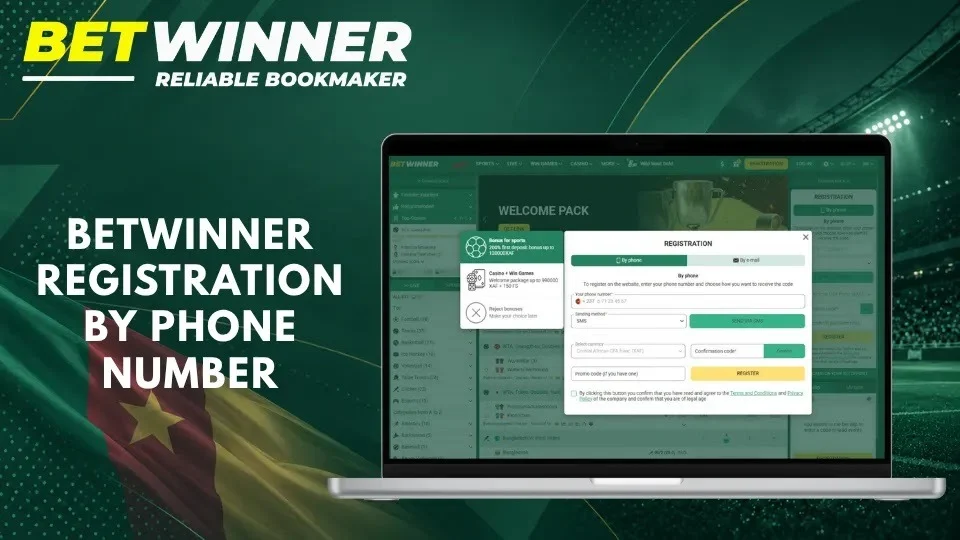
Enter Your Cameroon Phone Number
Select By phone and enter your number in the format shown by the form. Cameroon’s calling code is +237; the field already shows it, so do not type it twice. Check each digit and use a number in your name that will stay active, since it is also used to recover your account.
Choose the SMS Verification Method
The form asks how you want to receive the confirmation code: choose SMS, request the code and wait for the message before asking for another one. Keep your phone switched on and within network coverage. Never pay anyone for a registration code, and never share a code with someone who claims they can activate the account for you.
Enter the Confirmation Code
Enter the code exactly as received. Codes are valid for a limited time; if several arrive, use the most recent one.
- Read the SMS on your phone.
- Enter the code in the form.
- Tap the confirmation button.
- Check that the account has been created.
If the code has expired, request a new one through the form.
Betwinner Registration by Email
E-mail registration suits players who prefer to receive account messages in their inbox. Select By e-mail and fill in the fields that appear.
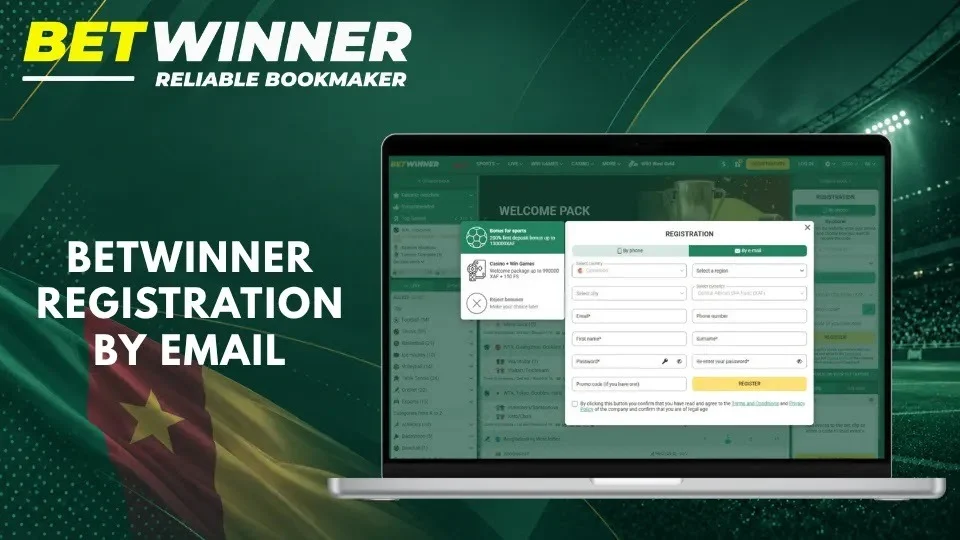
Select Cameroon as Your Country
Choose Cameroon as your country of residence and keep XAF as the currency. The interface language – French, English or one of the 40+ other languages – does not change your country. Do not select another country to access other offers: the account would fail identity and payment checks.
Enter Your Personal Information
Use an e-mail address you control and check every character, especially dots, hyphens and the domain. Enter your full name and date of birth as they appear on your identity document. Before submitting, check that:
- the e-mail address is correct and receives messages
- your details match your identity document
- the selected country is Cameroon
- you have not ticked any option by mistake
Create and Confirm Your Password
Create a unique password that you do not use for your e-mail, mobile money or other websites, and type it again in the confirmation field. If your choice does not meet the rules, the form shows what is required. A password manager can generate and store a strong password for you.
Add a Promo Code
The registration form has an optional field, Promo code (if you have one). Enter the Betwinner promo code GDB777 there to claim the welcome offer for new players:
Open the registration form
Go to betwinner.cm and tap Registration.
Enter GDB777
Type the code in the promo code field exactly as shown.
Choose your bonus
Select the sports or the Casino + Win Games welcome offer and read its conditions (minimum deposit, wagering and validity).
Make your first deposit
Fund the account with Orange Money or MTN Mobile Money to activate the offer.
Check the activation
Open the bonus section of your account to confirm that the bonus has been credited.
All current offers are explained on our Betwinner bonuses page.
Betwinner Account Verification
Confirming your contact details and verifying your identity are two separate steps. The first proves that you can access your phone number or e-mail; the second, known as KYC, confirms who you are and can be requested before a withdrawal.
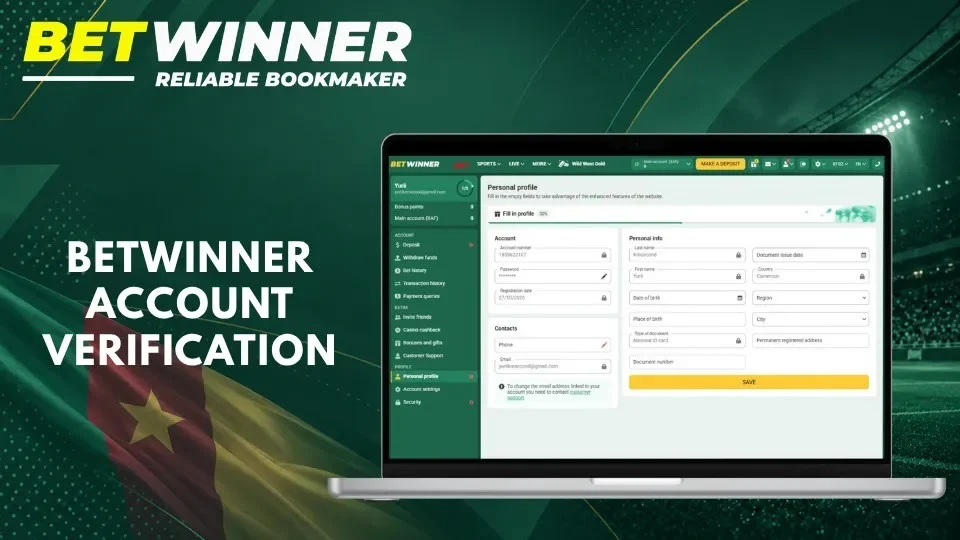
Verify Your Phone Number or Email
For a phone account, the SMS code confirms your number during registration. For an e-mail account, open the message Betwinner sends and follow its instructions; check the spam folder if it does not arrive. The status of your contact details is shown in your profile settings.
Never share a confirmation message with anyone, including a person who claims to be a Betwinner agent.
Identity Verification Requirements
Betwinner can ask for proof of identity, usually an identity document such as a national ID card or passport, and sometimes proof that the payment account you use is yours. Make sure the documents are legible, valid and match your account details, and upload them only through your account or the official support channels.
A confirmation code proves access to a contact detail; it does not replace identity verification.
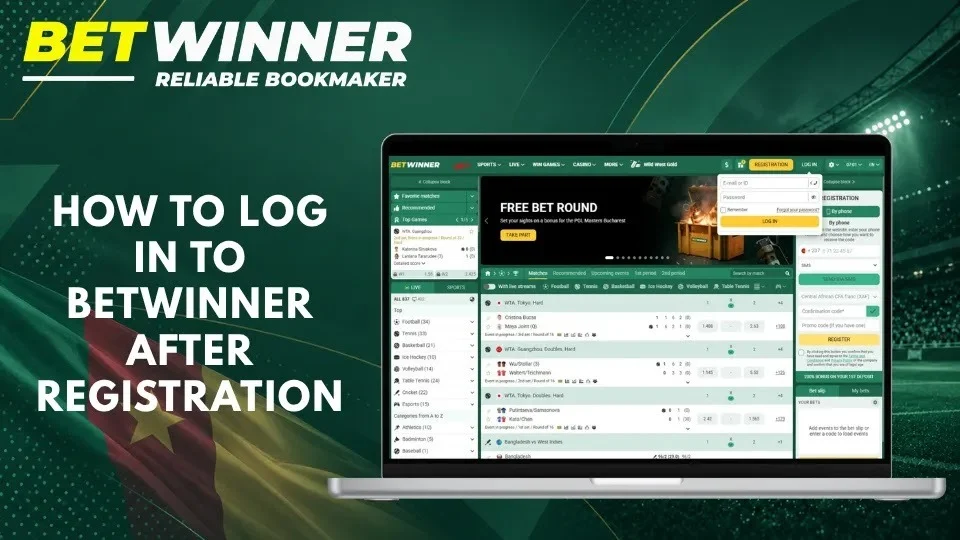
How to Log In to Betwinner After Registration
After registering, sign in on betwinner.cm or in the app with the details you registered with. Do not sign in through links received by message.
Enter Your Email or ID
Tap Log in and enter your account ID or the e-mail address you registered with. Your account ID is shown after registration and in your profile, so keep it in a safe place. Check for extra spaces or typing errors, and make sure you are on the Cameroonian site.
Enter Your Password
Type your password carefully, checking the keyboard language and capital letters. On a shared device, do not save the password. Too many failed attempts can temporarily block sign-in, so use password recovery instead of guessing.
Recover a Forgotten Password
Use the password recovery link in the login window:
- Open the login window.
- Tap Forgot your password?
- Enter your registered phone number or e-mail.
- Follow the code or link you receive.
- Create a new, unique password and sign in.
If you no longer have access to the registered phone or e-mail, contact support. Do not open a second account: each player may hold only one.
Register by phone or e-mail with the promo code GDB777.
Common Betwinner Sign Up Problems
Most registration problems come from code delivery, details already in use, form validation or the connection. Start with the error message shown on screen.
| Symptom | First check | Next step |
|---|---|---|
| Missing code | Phone number or e-mail and network | Request a new code after the waiting time |
| Contact already registered | An earlier account or a typing error | Recover the existing account or contact support |
| Form rejected | Required fields, country and legal-age box | Correct the highlighted fields and try again |
| Password rejected | The password rules shown by the form | Create a stronger, unique password |
Frequently Asked Questions
No answer?Support answers 24/7 by phone, through the online consultant and by e-mail.
Can I register on Betwinner Cameroon with a phone number?
Yes. Choose By phone, enter your +237 number and confirm it with the code you receive by SMS.
Does Betwinner Cameroon offer email registration?
Yes. Choose By e-mail and fill in the fields shown by the form.
What is the Betwinner promo code for Cameroon?
Enter GDB777 in the promo code field during registration and choose your welcome bonus; the bonus is activated by your first deposit.
How old do I have to be to register?
You must be at least 21 to register and bet on betwinner.cm.
What if my confirmation code never arrives?
Check the number or e-mail address and your network, wait for the resend timer and request a new code. Contact support if the problem persists.
Do I need identity documents immediately after registration?
No. You can register without documents; Betwinner may ask you to verify your identity later, for example before a withdrawal.
Can I register more than one account?
No. Each player may hold one account. If you lose access, use password recovery or contact support.
Is registration enough to start betting?
You also need to make a deposit to place real-money bets. Our payment guide explains how to pay with Orange Money and MTN Mobile Money.