
Betwinner Payment Methods Available in Cameroon
The cashier offers two mobile money methods, both in XAF.

- Shown in the cashier as
- Orange
- What you need
- An Orange Money account in your name, enough balance and your secret code
- Balance
- #150#
Mobile Payment Methods
Mobile money is the most common way to pay in Cameroon, and both services work the same way on Betwinner: you choose the method, enter the amount and your number, then approve the request on your phone. Before you pay, make sure that:
- the mobile money account is registered in your name
- its balance covers the amount: dial #150# for Orange Money or *126# for MTN MoMo to check it
- your phone is at hand to approve the request
- you remember your secret code or PIN
Check the amount and the recipient before approving, and never share your PIN or a confirmation code with anyone, including people who claim to be support staff.
How to Deposit on Betwinner Cameroon
A deposit takes a couple of minutes on the website or in the app. Your first deposit also activates the welcome bonus chosen at registration; our Betwinner bonuses page explains the offers.
Log In to Your Account
Open betwinner.cm or the Betwinner app
Tap Log in
Enter your account ID or e-mail and your password
Check that you are in your own account
If you do not have an account yet, follow our sign-up guide first. Do not pay through links received by message: start every payment from the official site or app.
Open the Deposit Section
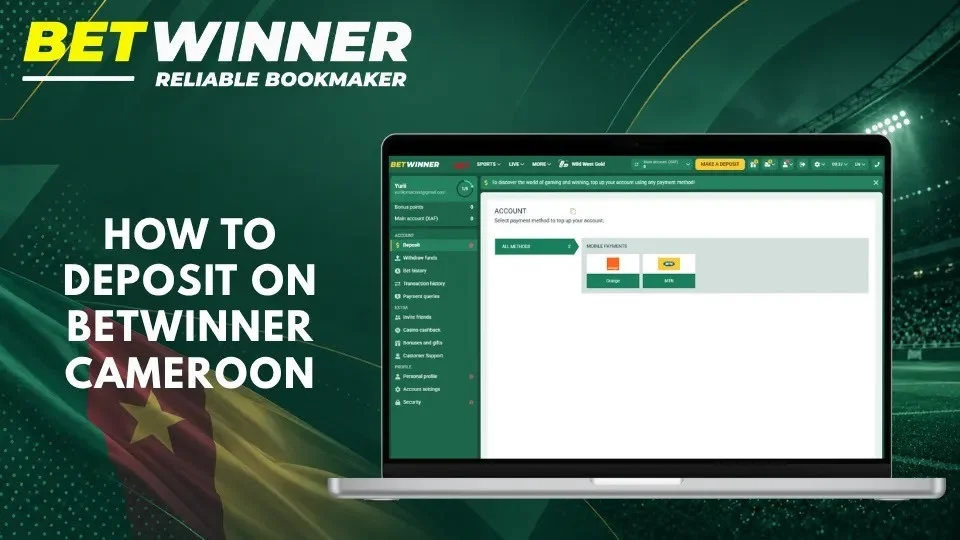
Tap Deposit in the account menu. The cashier opens with the message “Select payment method to top up your account” and lists the methods available for your account.
Choose a Payment Method
Select Orange for Orange Money or MTN for MTN Mobile Money, depending on the account you will pay from. Check the minimum and maximum amounts, any charge and the currency shown, then enter your phone number carefully: a wrong digit sends the payment request to another phone.
Enter the Amount and Confirm
Enter an amount within the displayed range
Check the final amount and any fee
Enter your mobile money number
Approve the request on your phone
Keep the SMS confirmation and check your Betwinner balance
If the provider confirms the payment but your balance has not changed, do not pay again: check your transaction history first.
Orange Money and MTN Mobile Money Deposits in Cameroon
Orange Money and MTN MoMo deposits follow the same pattern: the request starts in the Betwinner cashier and is approved on your phone.
Depositing with Orange Money
Select Orange, enter the amount and your Orange Money number, then confirm. A payment request appears on your phone: check the amount and the recipient, then validate it with your Orange Money secret code. Keep the confirmation SMS until the deposit appears in your balance.
Depositing with MTN Mobile Money
Select MTN, enter the amount and your MoMo number, then confirm. Approve the payment prompt on your phone with your MoMo PIN. If you do not approve it in time, the request expires and you need to start a new deposit. Never approve a request you did not start yourself.
Mobile Payment Troubleshooting
A mobile payment can fail because of an insufficient balance, an expired approval request, a temporary provider outage or a wrong number. Before trying again:
- check whether the money left your mobile money account (#150# for Orange Money, *126# for MTN MoMo)
- find the payment status and reference in your provider’s SMS or history
- compare the phone number and amount with the deposit request
- keep the confirmation, without sharing your PIN
- contact Betwinner support if you were debited but your balance did not change
These checks show whether the payment failed or is waiting to be credited.
How to Withdraw Money from Betwinner Cameroon
Withdrawals are requested in your account and paid to your mobile money account. Betwinner pays winnings with the same method you used for your deposit: if you deposited with Orange Money, you withdraw to Orange Money.
Available Withdrawal Methods
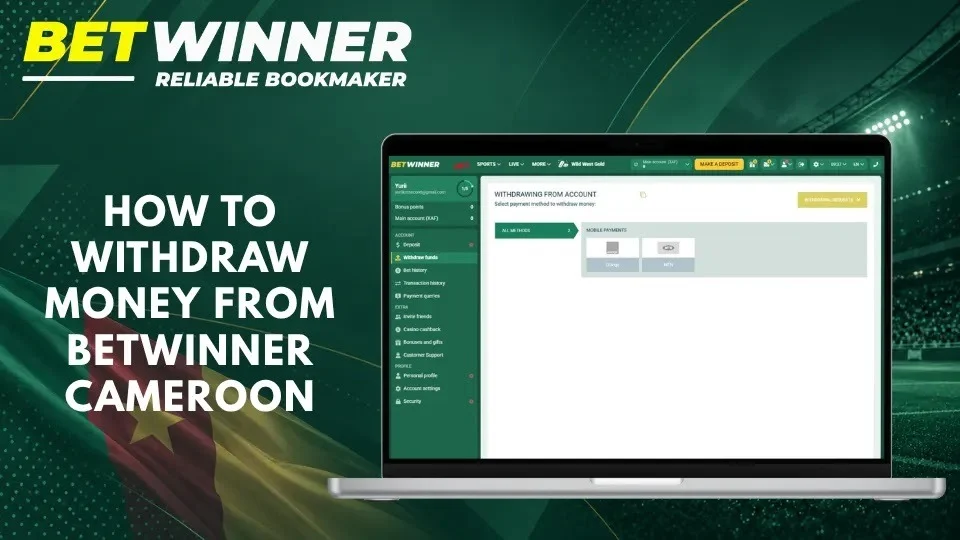
Withdrawals are paid to Orange Money and MTN Mobile Money accounts in your name. The withdrawal form shows the methods available for your account and the minimum amount. Do not ask to be paid to another person’s account: payouts go only to the account holder.
Withdrawal Instructions
Before requesting a withdrawal, check your withdrawable balance: bonus funds that are still being wagered and money in unsettled bets are not included.
- Open the withdrawal section of your account.
- Select the method you used for your deposit.
- Enter the amount and your mobile money number.
- Check the details and any fee shown.
- Confirm the request and note its reference.
Verification and Withdrawal Status
Betwinner may ask you to verify your identity before paying out, with an identity document that matches your account details. Upload documents only through your account or the official support channels. A pending status means that the request is being reviewed or processed by the provider; you can follow it in your transaction history.
Betwinner Deposit and Withdrawal Limits and Fees
Limits, fees and processing times are shown in the cashier for each method and transaction. Check them before confirming, as they can change.
Minimum and Maximum Transaction Amounts
The cashier shows the minimum and maximum amount for Orange Money and MTN MoMo as soon as you select the method. Deposit and withdrawal limits can differ, and your mobile money account also has its own transaction limits set by your provider.
Deposit Fees
Any charge applied to a payment is shown before you approve it, and the provider’s tariffs apply to your mobile money account. Check the total amount to be debited on the confirmation screen.
Withdrawal Processing Times
A withdrawal goes through two stages: Betwinner reviews the request, then the provider sends the money to your mobile money account. Most delays come from verification requests or incorrect details. Keep the reference and contact support if a request remains pending longer than the time shown in the cashier.
Common Betwinner Payment Problems
Keep your transaction references: they make every payment issue faster to solve. Never share your PIN, password or one-time codes when asking for help.
Deposit Not Credited
First check whether your mobile money account was debited. If it was not, the request was not approved and you can start a new deposit. If it was, collect the date, amount, method and reference and send them to support; the finance department answers at accounting@betwinner.cm. Do not pay anyone who offers to “recover” a deposit.
Withdrawal Pending
A pending withdrawal may be waiting for verification, review or the provider’s payout. Check the request status and any message asking for documents. If no reason is shown, contact support with the withdrawal reference. Cancelling and resubmitting the request does not speed up the payment.
Incorrect Payment Details
A wrong phone number can delay or misdirect a transaction, so correct the details before approving. If a payment has already gone to a wrong number, contact your mobile money provider and Betwinner support immediately with the reference. Never send another payment to someone who promises to retrieve the first one.
Payments in XAF; winnings are paid out with the method used for the deposit.
Frequently Asked Questions
No answer?Support answers 24/7 by phone, through the online consultant and by e-mail.
Which payment methods does Betwinner Cameroon accept?
Orange Money and MTN Mobile Money (MoMo), in XAF.
Can I withdraw through the same method I used to deposit?
Yes. Winnings are paid out with the method used for the deposit, to a mobile money account in your name.
What is the minimum Betwinner deposit in Cameroon?
The minimum is shown in the cashier as soon as you select Orange Money or MTN MoMo.
How long do deposits and withdrawals take?
A deposit is credited once your provider confirms the payment you approved on your phone. A withdrawal is reviewed by Betwinner and then sent by the provider.
What should I do if Orange Money or MTN debits me but no deposit appears?
Keep the reference, check your Betwinner transaction history and contact support before paying again.
Can I use somebody else's mobile money account?
No. Use a mobile money account registered in your name: payments from someone else’s account can block your withdrawals and verification.
Is Betwinner Cameroon licensed?
Yes. It is operated by DIGITAL LAB LIMITED BETWINNER S.A. under licence No. 000036/O/MINAT/SG/DAP/SDLP/SJ of 9 September 2021, issued by the Ministry of Territorial Administration.